

Learn how to create high-quality SEO articles with Koala AI using a simple, repeatable step-by-step workflow.
AFFILIATE DISCLOSURE
This article may contain affiliate links. If you purchase through these links, we may earn a commission at no additional cost to you.
Koala AI Tutorial (2026): How to Create SEO Articles Step-by-Step

Introduction
If you’re planning to publish content consistently, learning how to use your tools efficiently makes a huge difference.
Koala AI is designed to simplify content creation, especially for bloggers, affiliate marketers, and website owners who want to produce articles faster without sacrificing structure. Instead of starting from a blank page every time, the platform helps generate complete posts in minutes.
But like any tool, the results depend on how you use it.
In this tutorial, you’ll learn:
- how to set up Koala AI
- how to generate SEO-ready articles
- how to choose the right settings
- how to improve output quality
- how to integrate the tool into your workflow
What Is Koala AI and How Does It Work?
Koala AI is an AI writing tool designed to generate long-form content quickly. It focuses on simplicity and automation rather than complex configuration.
The basic workflow looks like this:
Topic
→ Input settings
→ Generate article
→ Review and publish
This straightforward process is one reason many content creators adopt the tool early in their workflow.
Typical users include:
- niche website owners
- affiliate marketers
- bloggers
- content creators
- small business websites
This Koala AI tutorial shows a practical workflow you can reuse for consistent SEO content creation.
Step 1 — Create Your Koala AI Account
The first step is setting up your account.
This process usually takes only a few minutes.
Typical steps:
- Visit the Koala AI website
- Create an account
- Choose a pricing plan
- Access the dashboard
Once you’re inside the dashboard, you can start generating content immediately.
If you You want a special 15% Discount use Code:
IPQLSLJT
Step 2 — Choose the Article Type
Koala AI offers different content generation options depending on your needs.
Common article types include:
Blog Post
Product Review
Comparison Article
Informational Guide
Choosing the correct type helps the AI structure the content more effectively.
For example:
A review article focuses on features and pros and cons.
A guide focuses on explanation and instructions.
Step 3 — Enter Your Topic or Keyword
This is the most important input field.
The keyword you enter determines:
Topic relevance
Content direction
SEO structure
Good keyword examples:
Best AI writing tools
Koala AI pricing
AI tools for bloggers
How to create SEO articles
Clear keywords usually produce better results.
Step 4 — Configure the Article Settings
Koala AI allows you to adjust several important settings before generating content.
Typical settings include:
Article length
Tone of voice
Language
Audience type
SEO focus
These settings help control the final output.
For example:
Short article
→ faster generation
Long article
→ more detailed content
Personal Insight
From a practical standpoint, the most useful improvement in output quality usually comes from refining the keyword and settings rather than rewriting the entire article afterward.
However, it’s important to remember that AI-generated content still benefits from human review and adjustments before publishing.
For users who plan to publish regularly, learning how to configure the tool properly can save significant time over the long term.
Step 5 — Generate the Article

After entering your topic and settings, the next step is simple:
Click Generate.
The system will produce a structured article automatically.
Typical output includes:
Introduction
Headings
Paragraphs
Content sections
Conclusion
Generation time is usually short.
Most articles appear within minutes.
Step 6 — Review and Edit the Content
This step is essential.
Even though Koala AI produces structured content, reviewing the article improves quality and accuracy.
Things to check:
Grammar
Clarity
Formatting
Facts
Internal links
This step ensures the article meets publishing standards.
Step 7 — Add Images and Formatting
Once the content is ready, the next step is preparing it for publication.
Typical tasks include:
Adding images
Formatting headings
Inserting links
Optimizing layout
This improves readability and engagement.
And don’t forget the special 15% Discount
IPQLSLJT
Common Mistakes When Using Koala AI
Many beginners make the same mistakes when starting with AI writing tools.
Here are the most common ones.
Using Vague Topics
Example:
„AI tools“
Better:
„Best AI writing tools for bloggers“
Specific topics produce clearer results.
Skipping the Editing Step
Publishing content without review can reduce quality and credibility.
Even small edits improve readability significantly.
Ignoring SEO Structure
Headings and keyword placement matter for search visibility.
Proper structure helps search engines understand the content.
How to Use Koala AI Efficiently
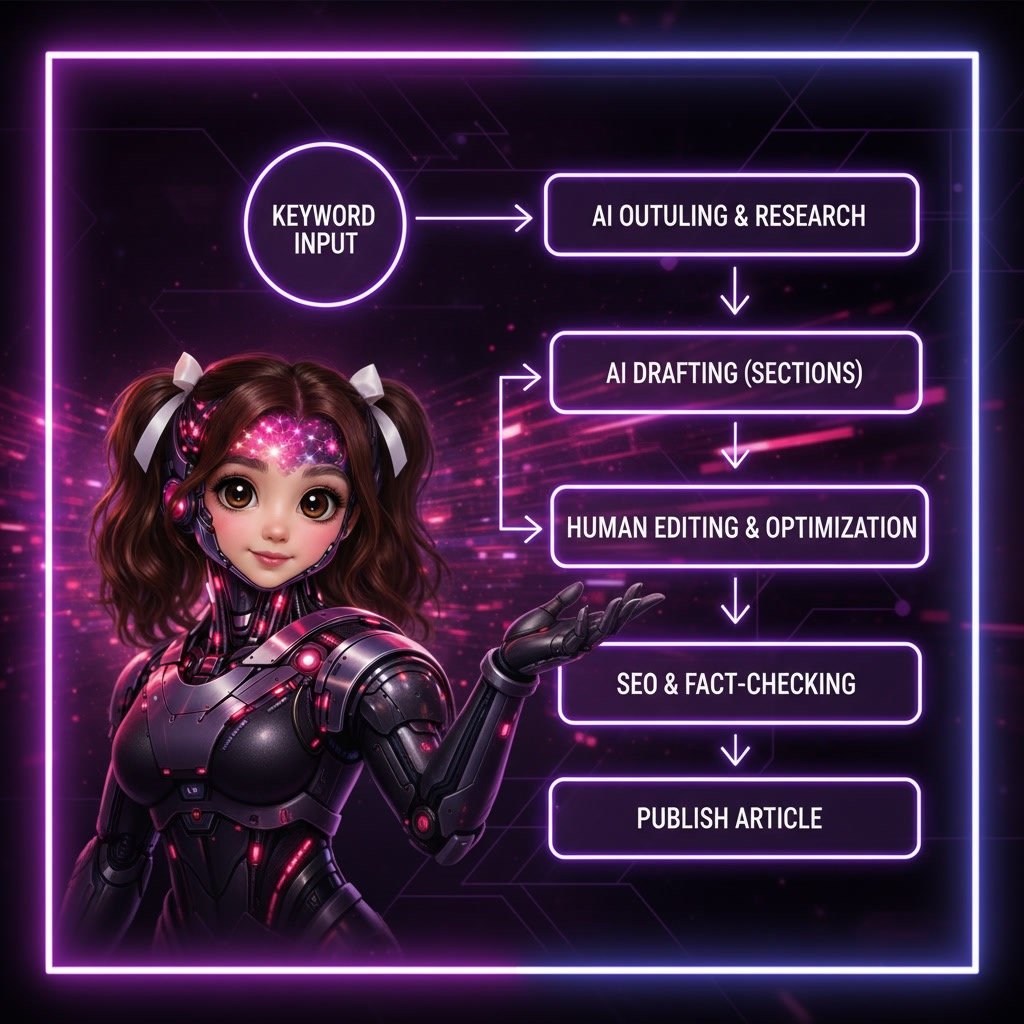
Efficiency comes from consistency.
A simple workflow can look like this:
Research keyword
Generate article
Review content
Add images
Publish
Repeating this process builds momentum.
Internal Links
Koala AI Review
Koala AI Pricing
Koala AI Alternatives
Best AI Writing Tools
AI Tools for Content Creation
Final Verdict — Is Koala AI Easy to Use?
Koala AI is designed to simplify content creation, and for most users, the learning curve is short.
The interface is straightforward, the workflow is predictable, and the output is structured in a way that makes publishing faster.
For beginners, the platform provides an accessible starting point.
For experienced content creators, it offers a reliable production tool.
The key benefit is not just speed — it’s consistency.
Start your journey with the special 15% discount use Code:
IPQLSLJT
 SolutionsHub Team