

This ActiveCampaign tutorial for beginners guide will help you understand the platform, set it up properly, and start using its core features with confidence.
Affiliate disclosure: This article may contain affiliate links. If you purchase through these links, we may earn a commission at no additional cost to you.
Introduction
ActiveCampaign can feel like a lot when you first log in. There are contacts, lists, tags, campaigns, automations, forms, and reports, all in one place. For beginners, that can be useful, but also a little confusing.
The good news is that you do not need to learn every feature at once. If you focus on the basics first, ActiveCampaign becomes much easier to understand. Once the foundation is in place, the more advanced tools make a lot more sense.
This guide walks through the essentials in a practical order. You will learn what ActiveCampaign is, which features matter most at the start, how beginners usually use it, and what mistakes to avoid.
Personal Insight
One thing that stands out with ActiveCampaign is that it becomes easier after the first setup phase. Many beginners think the platform is too complex, but in most cases the real issue is trying to build everything at once. Starting with one list, one form, one campaign, and one simple automation usually leads to much better results.
What Is ActiveCampaign?
ActiveCampaign is an email marketing and marketing automation platform built to help businesses manage contacts, send campaigns, automate follow-up, and improve customer communication. It is often used by creators, service businesses, online stores, and growing teams that want more than basic newsletter sending.
At its core, the platform helps you organize your audience and send the right message at the right time. Instead of manually emailing each new subscriber, you can build systems that welcome contacts, tag them based on behavior, and move them through different stages automatically.
For beginners, the most important idea is this: ActiveCampaign is not just an email sender. It is a contact management and automation tool that can support your full email workflow.

How the platform is structured
When you first start using ActiveCampaign, you will usually work with a few main areas:
- Contacts, where your subscribers and customer data live
- Lists, which group contacts at a broad level
- Tags, which help you label and segment people
- Campaigns, which are one-time emails like newsletters or announcements
- Automations, which send emails or perform actions based on triggers
- Forms, which collect new subscribers
- Reports, which show opens, clicks, and other results
If you understand those building blocks, you already have a strong beginner foundation.
ActiveCampaign Tutorial for Beginners: Start With These Core Steps
Create your account settings first
Before sending anything, set up the basics properly. Add your business name, website, physical mailing address, and sender email. This helps with compliance, trust, and deliverability.
You should also verify your sending domain if possible. Even if that sounds technical, it is worth doing early because it improves the chance that your emails land in inboxes instead of spam folders.
Build one clean list
Beginners often create too many lists. In most cases, one main list is enough to start. You can organize people more precisely later with tags and segments.
A clean list setup keeps your account easier to manage. Instead of splitting your audience into several lists too early, focus on collecting subscribers in one place and using tags to track interests or actions.
Import or collect contacts carefully
If you already have contacts, import them with clear fields such as first name, email, company name, or source. Do not import outdated or unconfirmed contacts just to make your list look bigger. A smaller, cleaner list is usually better for engagement and deliverability.
If you are starting from zero, create a signup form and place it on your website or landing page. Keep the form simple so more people complete it.
Set up a welcome email
Your first email does not need to be advanced. A short welcome message works well. Thank subscribers for joining, remind them what they signed up for, and tell them what kind of emails to expect.
This is often the best first automation to build because it starts working immediately and gives new contacts a clear first impression.
Key Features Beginners Should Learn First
Email campaigns
Campaigns are one-time emails you send to a group of contacts. These are useful for newsletters, updates, promotions, event announcements, or new content.
As a beginner, focus on learning how to:
- Choose the right audience
- Write a clear subject line
- Use a simple email layout
- Add one main call to action
- Test before sending
You do not need a highly designed email to be effective. Clear copy and a clean structure usually perform better than crowded layouts.
Automations
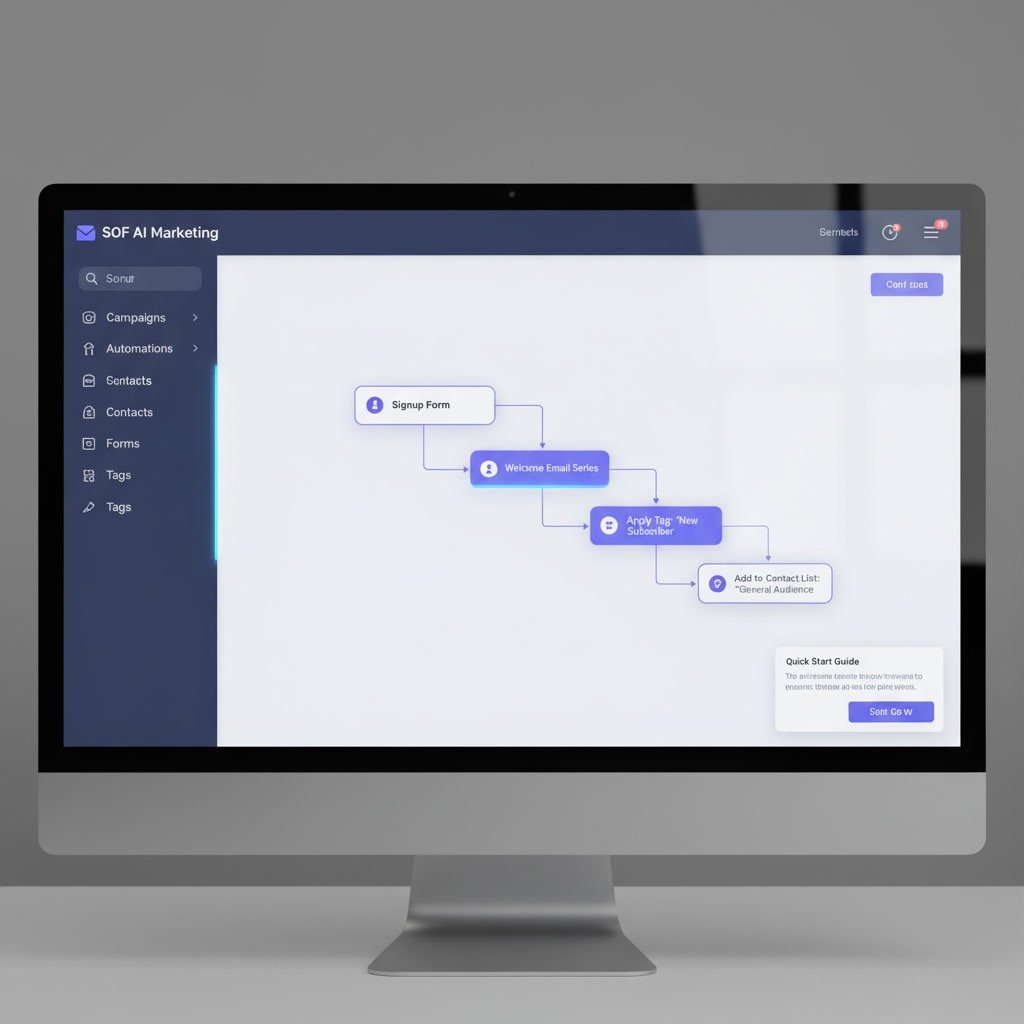
Automations are one of ActiveCampaign’s most useful features. They allow actions to happen automatically when a trigger occurs. For example, when someone submits a form, they can receive a welcome email, get tagged, and enter a follow-up sequence.
Beginners should start with simple automations such as:
- Welcome series after signup
- Lead magnet delivery
- Follow-up after a contact clicks a link
- Re-engagement email for inactive subscribers
Keep your first automation short and easy to track. A simple sequence is far easier to improve than a complex workflow you do not fully understand.
Tags and segmentation
Tags help you organize contacts by interest, action, source, or status. For example, you might tag someone as webinar-lead, customer, downloaded-guide, or interested-in-service.
Segmentation uses that data so you can send more relevant emails. Instead of sending the same message to everyone, you can send targeted messages to people who meet specific conditions.
This matters because relevant emails often lead to better open rates, clicks, and conversions.
Forms
Forms bring new people into your system. You can use them for newsletter signups, lead magnets, consultations, waitlists, or contact requests.
For beginners, a strong form usually has:
- A clear reason to sign up
- Few form fields
- A simple confirmation message
- A linked automation or welcome email
Reporting
Reports show how your emails and automations are performing. At the start, pay attention to a few basic numbers:
- Open rate
- Click rate
- Unsubscribe rate
- Reply rate, if relevant
Do not get lost in every report. Focus on whether people are engaging and whether your message is clear enough to drive action.
Use Cases for Beginners
Newsletter delivery
If you publish blog posts, company updates, or announcements, ActiveCampaign can manage regular email sends to subscribers. This is one of the easiest starting points because it helps you get comfortable with campaigns and reporting.
Lead magnet follow-up
Many beginners use ActiveCampaign to deliver a checklist, guide, template, or free resource after someone signs up. This can all happen automatically, which saves time and creates a smoother subscriber experience.
Service business nurturing
Consultants, agencies, coaches, and freelancers can use ActiveCampaign to follow up with leads over time. Instead of relying only on manual outreach, you can create a sequence that shares helpful information, answers common questions, and encourages replies or bookings.
Ecommerce customer communication
Online stores often use ActiveCampaign for welcome emails, abandoned cart reminders, post-purchase follow-up, and customer segmentation. Beginners in ecommerce may not need every feature right away, but even a basic setup can improve consistency.
Event and webinar reminders
If you run webinars, workshops, or online events, ActiveCampaign can send confirmation emails, reminders, and follow-up messages. This is a practical use case because timing matters, and automation helps reduce manual work.
Best Practices for Getting Better Results
Keep your setup simple at first
Try not to build a full marketing system on day one. Start with the essentials: one list, one form, one welcome automation, and one or two campaigns. That gives you a manageable base.
Use naming conventions
Name your forms, automations, tags, and campaigns clearly. Good naming makes the account easier to manage as it grows. For example, use names that show purpose and source instead of vague labels.
Write like a human
Many email beginners focus too much on design and not enough on clarity. Short paragraphs, a clear benefit, and one strong next step usually work better than overloaded messages.
Test your emails before sending
Always preview your emails on desktop and mobile. Check links, formatting, personalization fields, and sender details. A quick test can catch small mistakes before they reach your full list.
Segment when it actually helps
Segmentation is useful, but beginners sometimes overdo it. Add segments when they improve relevance, not just because the feature exists. If everyone on your list needs the same update, one clean send is fine.
Review performance regularly
After each campaign or automation runs for a while, check the results. Look for patterns. Which subject lines get opened? Which links get clicked? Which emails are ignored? Small adjustments over time can improve performance steadily.
Common Mistakes Beginners Make
Creating too many lists
This is one of the most common setup mistakes. Too many lists create confusion and duplication. In many accounts, tags and segments are a better way to organize contacts.
Building complex automations too soon
It is tempting to create large multi-step workflows immediately. But if you do not understand the logic fully, errors become harder to spot. Start small, make sure it works, and expand later.
Importing low-quality contacts
Adding old or unengaged contacts can hurt results. If people do not remember subscribing, they are less likely to open emails and more likely to unsubscribe or mark messages as spam.
Ignoring deliverability basics
Beginners sometimes focus only on email design and forget sender reputation. Domain authentication, list quality, and engagement all matter. A clean setup helps your emails reach inboxes more reliably.
Sending without a clear goal
Every email should have a purpose. If you are sending a newsletter, what should readers do next? Read an article, register for something, reply, or visit a page? Clear intent usually leads to clearer results.
Not cleaning up the account
Over time, accounts fill up with old tags, test automations, duplicate forms, and unclear naming. Even beginners benefit from occasional cleanup. A tidy account is much easier to improve.
FAQ
Is ActiveCampaign good for complete beginners?
Yes, but it has a learning curve. Beginners who take it step by step usually do well. The platform is most manageable when you focus on a few core features first instead of trying to master everything immediately.
What should I set up first in ActiveCampaign?
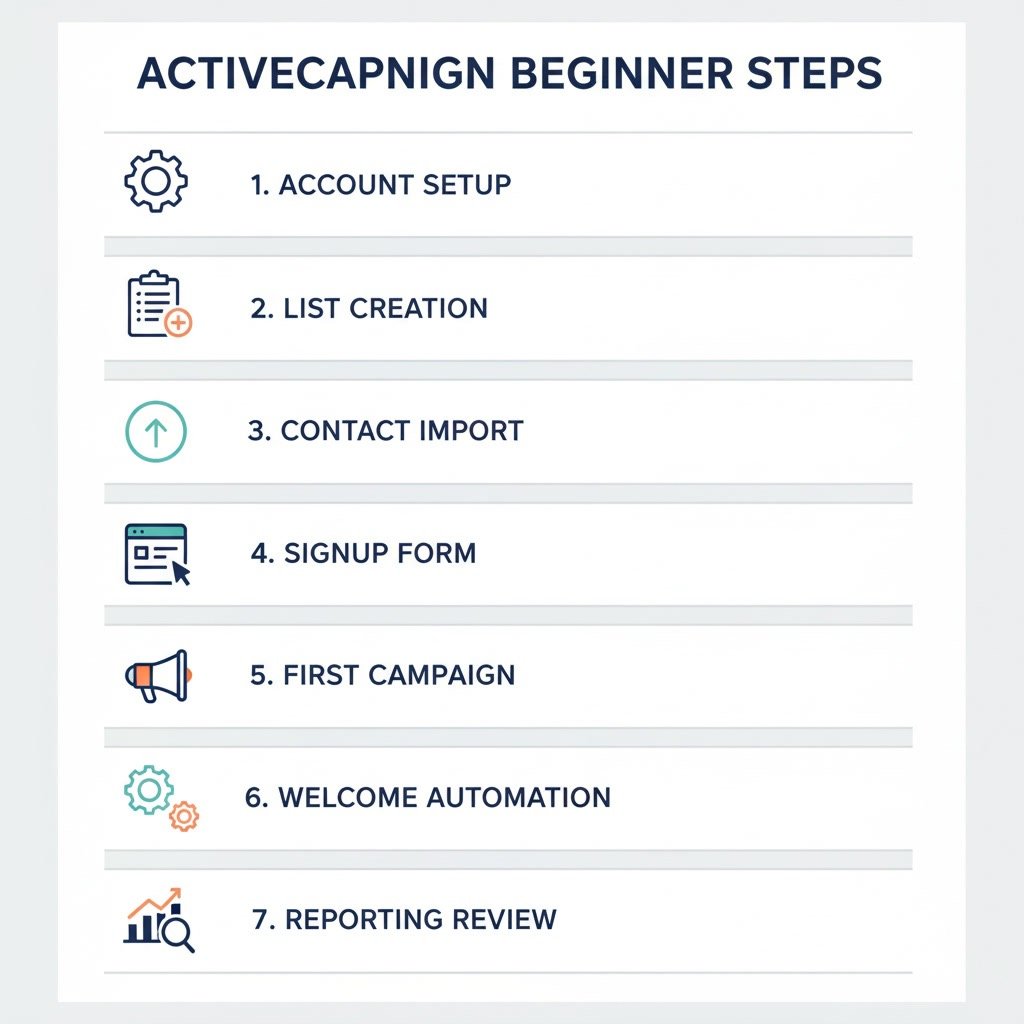
Start with account settings, one list, a signup form, and a simple welcome automation. After that, create your first campaign and review the results.
Do I need automations right away?
No, but one basic automation is very helpful. A welcome email or lead magnet delivery sequence is usually the best first choice because it is practical and easy to understand.
Should I use lists or tags?
For most beginners, one main list plus tags is a smart starting point. Lists are useful for broad organization, while tags offer more flexibility for behavior and interest tracking.
How often should beginners send emails?
Consistency matters more than frequency. If you can send one useful email each week or every two weeks, that is often better than sending many emails inconsistently.
What is the easiest way to learn ActiveCampaign?
The easiest approach is hands-on practice with a simple setup. Build one form, one email, and one automation, then test the full experience from signup to follow-up.
Final Verdict
ActiveCampaign is a strong choice for beginners who want to grow beyond basic email sending and learn automation the right way. It can look advanced at first, but the platform becomes much more approachable when you start with the essentials and build gradually.
If you want a tool that can support email marketing, segmentation, and automated follow-up as your needs grow, ActiveCampaign is a solid fit. The best approach is not to use every feature at once, but to create a simple system that works well and improve it over time.
Recommended Guides
- Activecampaign Pricing Explained
- Activecampaign Alternatives
- Is Activecampaign Worth It
- How To Use Activecampaign
- Activecampaign Setup Guide
- ActiveCampaign Automation Examples: Real Workflows Explained
- Best Email Marketing Tools in 2026
- Activecampaign Crm Guide
- ActiveCampaign Segmentation Guide: Target the Right Audience
- Activecampaign Campaign Builder Guide
- Activecampaign Integration Guide
- Activecampaign Ultimate Guide