

This ActiveCampaign email marketing guide walks you through the essentials of building better email campaigns with less guesswork.
Affiliate disclosure: This article may contain affiliate links. If you purchase through these links, we may earn a commission at no additional cost to you.
Introduction
ActiveCampaign is often discussed as an automation platform, but its real value in email marketing comes from how it helps you send more relevant messages to the right people at the right time. That matters whether you run a small online store, a service business, or a content-driven brand.
Instead of treating email as one-off broadcasts, ActiveCampaign encourages a more organized system. You can build lists, tag contacts, create automations, personalize messages, and track engagement in one place. The result is usually a more thoughtful email strategy rather than simply sending more emails.
This guide focuses on the practical side of using ActiveCampaign for email marketing. If you want a clearer understanding of what the platform does best and how to use it well, this article will give you a strong starting point.
Personal Insight
One reason many businesses stick with ActiveCampaign is that it can grow with them. It works for basic newsletters, but it becomes much more useful when you start combining email campaigns with segmentation and automation.
In practice, the biggest wins usually come from improving relevance, not complexity. Even simple welcome flows, cleaner tagging, and better audience targeting can make a noticeable difference.

What Is ActiveCampaign Email Marketing Guide Really About?
An ActiveCampaign email marketing setup is more than a place to design emails. It is a system for managing contacts, organizing audience data, creating campaigns, and automating follow-up based on behavior.
At its core, email marketing in ActiveCampaign includes a few connected parts:
- Contact management for storing subscriber details
- Lists, tags, and custom fields for organization
- Email campaign creation for newsletters and promotional sends
- Automation workflows for triggered communication
- Segmentation for targeting specific groups
- Reporting for opens, clicks, conversions, and engagement trends
What makes the platform stand out is that these parts are not isolated. A contact can join a list, receive a welcome email, click a product link, get tagged based on interest, and then enter a follow-up sequence automatically. That connected workflow is where ActiveCampaign becomes especially useful.
Key Features
Contact Organization That Supports Better Targeting
ActiveCampaign gives you several ways to structure your audience. Lists are the broadest layer, while tags and custom fields help you add more detail. This makes it easier to avoid sending the same message to everyone.
For example, you can tag subscribers by lead source, product interest, lifecycle stage, or engagement level. That information can then shape both campaigns and automations.
Email Campaign Builder
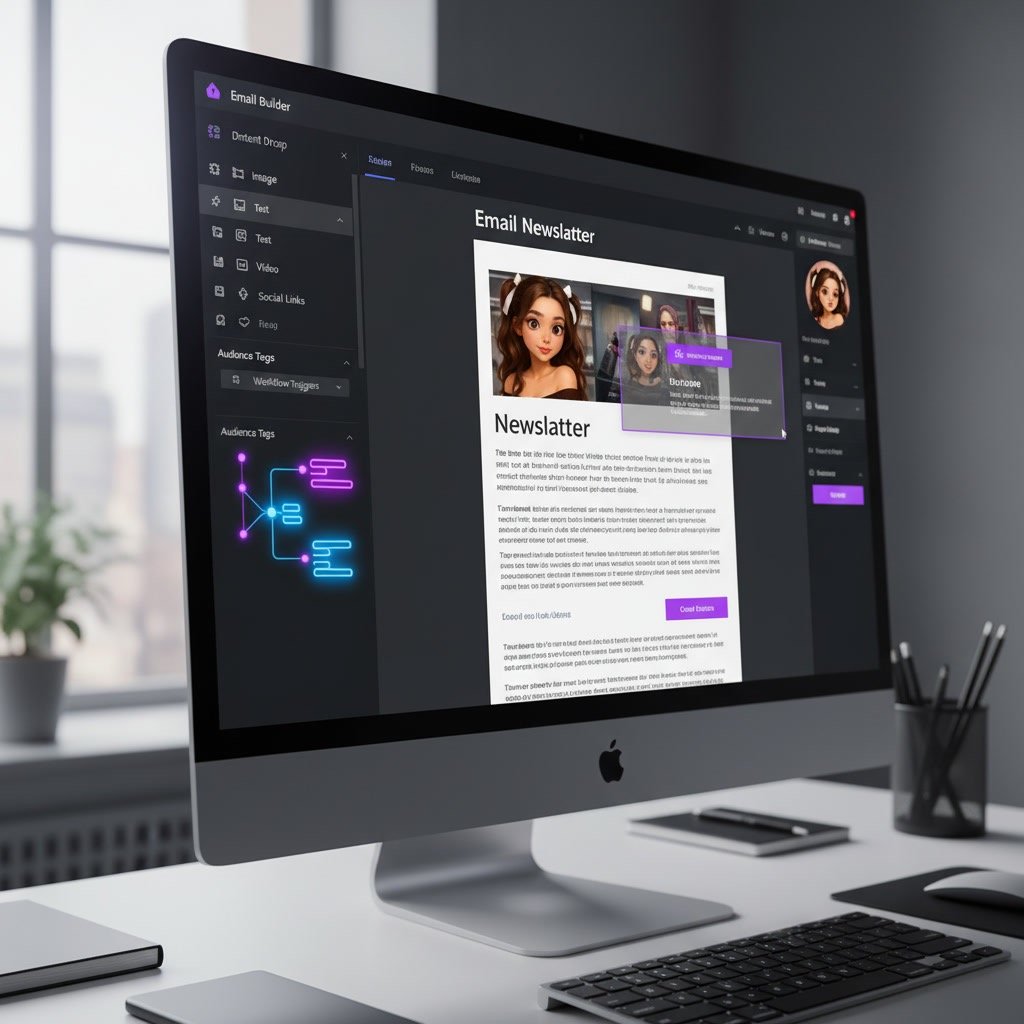
The campaign builder lets you create newsletters, announcements, product updates, and event emails. You can use templates, drag-and-drop content blocks, saved sections, and personalization fields to speed up the process.
This is especially helpful for teams that want consistency across campaigns without rebuilding layouts every time.
Marketing Automation
Automation is one of ActiveCampaign’s strongest features. You can trigger emails based on actions such as sign-ups, clicks, purchases, page visits, or tag changes.
Common examples include:
- Welcome email sequences
- Lead nurturing series
- Cart follow-up emails
- Post-purchase education
- Re-engagement campaigns
- Webinar reminder flows
This saves time while helping your emails feel more timely and relevant.
Segmentation and Personalization
Rather than relying on broad mailing lists, ActiveCampaign lets you build targeted segments based on behavior and profile data. You might create a segment for subscribers who opened a recent campaign, visited a pricing page, or bought from a certain category.
Personalization can go beyond first names. You can adapt messaging based on interests, past actions, or customer stage, which often leads to better engagement.
Reporting and Performance Tracking
Email marketing works best when you measure what matters. ActiveCampaign provides reporting on open rates, click rates, unsubscribes, geo data, device use, and automation performance.
These insights help you improve subject lines, content structure, send timing, and list quality over time.
Use Cases
Welcome Sequences for New Subscribers
One of the most effective ways to use ActiveCampaign is to create a simple welcome automation. When someone joins your list, they can receive a short sequence that introduces your brand, sets expectations, and points them toward a next step.
This works well for bloggers, agencies, ecommerce stores, consultants, and software companies alike.
Lead Nurturing for Longer Sales Cycles
If people do not buy immediately, email can help move them forward. ActiveCampaign makes it easier to educate leads gradually with case studies, service explanations, product education, or useful resources.
Instead of sending one generic sales email, you can build a sequence that matches the prospect’s interest and stage.
Promotional Campaigns With Smarter Segments
Not every subscriber should receive every promotion. With ActiveCampaign, you can target only those contacts who are likely to care about a specific offer. That usually improves click rates and helps reduce list fatigue.
For example, a store might send a category-specific promotion only to people who browsed or purchased similar products before.
Post-Purchase Follow-Up
Email marketing should not stop after a sale. ActiveCampaign can support onboarding, product education, review requests, renewal reminders, and cross-sell sequences.
This is especially valuable for businesses that want stronger retention and better customer experience.
Re-Engagement for Inactive Subscribers
Every list becomes less engaged over time. Rather than ignoring inactive contacts, you can use ActiveCampaign to identify them and send a re-engagement series. If they still do not respond, you can reduce sending frequency or clean them from your list.
That process helps maintain stronger deliverability and more reliable reporting.
Best Practices
Start With a Clean Contact Structure
Before building campaigns, decide how you will use lists, tags, and custom fields. A clear system from the beginning prevents confusion later. Many teams run into trouble when tags become inconsistent or duplicate contact logic builds up over time.
Keep your structure simple enough to manage but detailed enough to support useful segmentation.
Build Around Customer Journey Stages
Your email strategy should reflect where people are in their relationship with your business. New subscribers need different messaging than repeat customers or inactive leads.
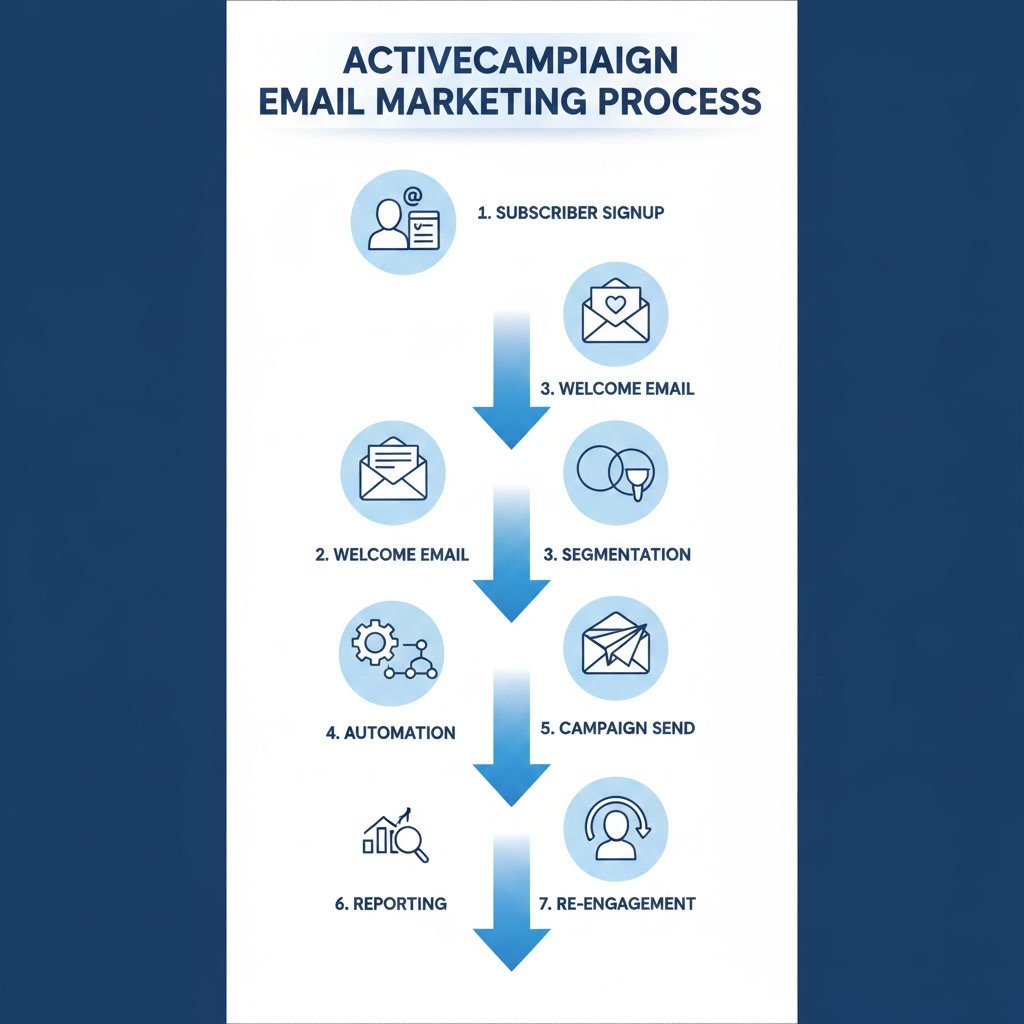
When you organize campaigns around stages like subscribe, consider, buy, onboard, and re-engage, your emails become easier to plan and more useful to recipients.
Use Automation for Timing, Not Just Convenience
Automation is not only about saving time. Its real strength is timing. A message sent after a relevant action is often more effective than a scheduled campaign sent to everyone at once.
Focus on moments that matter, such as joining your list, viewing a product, completing a purchase, or going inactive.
Write Emails That Sound Human
Even with strong automation, the writing still matters. Keep subject lines clear, make the body easy to scan, and use a natural tone. Readers respond better when emails feel personal and useful rather than overly polished or overly sales-driven.
Short paragraphs, clear calls to action, and one main goal per email usually work better than trying to do too much at once.
Review Performance Regularly
Do not set up campaigns once and forget them. Check performance trends often. Look for patterns in open rates, click behavior, unsubscribes, and automation drop-off points.
Small improvements made consistently can outperform large redesigns done rarely.
Common Mistakes
Sending the Same Message to Everyone
One of the most common mistakes is treating the full list as a single audience. This usually leads to lower engagement because the message is too broad. Segmentation exists for a reason, and even basic targeting can improve results.
Overcomplicating Automations Too Early
It is tempting to build advanced workflows right away, but complexity can become hard to manage. Start with a few core automations such as welcome, nurture, and post-purchase. Once those are working well, expand carefully.
Ignoring List Hygiene
If you keep sending to disengaged contacts forever, performance can decline. Regularly review inactive subscribers, bounced emails, and low-quality sign-up sources. Better list quality usually supports better deliverability.
Using Tags Without a Clear Naming System
Tags are useful, but they can quickly become messy. If every campaign creates new tags with unclear names, your account becomes harder to manage. Create a naming convention that your team can follow consistently.
Focusing Only on Opens
Open rates can be helpful, but they do not tell the whole story. Clicks, replies, conversions, and long-term engagement often matter more. Evaluate email performance based on your actual business goal, not just surface metrics.
FAQ
Is ActiveCampaign good for beginners?
Yes, but beginners usually get the best results when they start with the basics. The platform has many features, so it helps to begin with contact organization, one or two campaigns, and a simple automation before adding more advanced workflows.
What is the main benefit of ActiveCampaign for email marketing?
The biggest benefit is the combination of email creation, segmentation, and automation in one platform. That makes it easier to send relevant emails based on real subscriber behavior rather than relying only on broad list sends.
Do I need automation to use ActiveCampaign effectively?
No, you can use it for standard email campaigns without building complex automations. However, automation is a major part of the platform’s value, and even a simple welcome sequence can improve results.
How often should I email my list?
There is no single perfect frequency. The best schedule depends on your audience, business model, and content quality. It is usually better to send consistently and relevantly than to send often without a clear purpose.
Can ActiveCampaign help improve email engagement?
Yes, especially when you use segmentation, personalization, and behavior-based automation. Better targeting often leads to more opens, clicks, and conversions because subscribers receive messages that match their interests.
What should I set up first in ActiveCampaign?
Start with your contact structure, sign-up forms, basic segmentation, and a welcome automation. Once those are in place, you can expand into campaigns, lead nurturing, and more advanced customer journeys.
Final Verdict
ActiveCampaign is a strong fit for businesses that want email marketing to be more targeted, organized, and automated. Its real value is not just in sending emails, but in building connected workflows that improve timing and relevance.
If you only need the simplest newsletter tool, it may offer more than you need. But if you want to grow beyond one-size-fits-all campaigns and create a smarter email system, ActiveCampaign is a practical and capable choice.
Recommended Guides
- Activecampaign Pricing Explained
- Activecampaign Alternatives
- Is Activecampaign Worth It
- How To Use Activecampaign
- Activecampaign Tutorial For Beginners
- Activecampaign Setup Guide
- ActiveCampaign Automation Examples: Real Workflows Explained
- Activecampaign Crm Guide
- ActiveCampaign Segmentation Guide: Target the Right Audience
- Activecampaign Campaign Builder Guide
- Activecampaign Integration Guide
- Activecampaign Ultimate Guide