

ActiveCampaign Automation Guide 2026 helps you understand how to automate email marketing, segment your audience, and increase conversions with smart workflows.
ActiveCampaign segmentation allows businesses to group contacts based on behavior, interests, and activity. This helps send more relevant messages, improve engagement, and increase conversion rates in email marketing campaigns.
Introduction
Email marketing works best when messages are relevant to the audience. Instead of sending the same message to everyone, segmentation allows businesses to target specific groups of contacts based on their behavior or preferences.
ActiveCampaign includes powerful segmentation tools that allow you to organize contacts, personalize communication, and automate marketing workflows. This makes campaigns more effective and improves overall performance. This ActiveCampaign Segmentation Guide shows how to create powerful workflows.
Personal Inside
In real workflows, segmentation does not need to be complicated. Many businesses achieve strong results using only a few basic segments.
The most important step is understanding what your audience wants and grouping contacts based on that information.

Start Segmenting Your Audience With ActiveCampaign
ActiveCampaign Segmentation Guide: How It Works
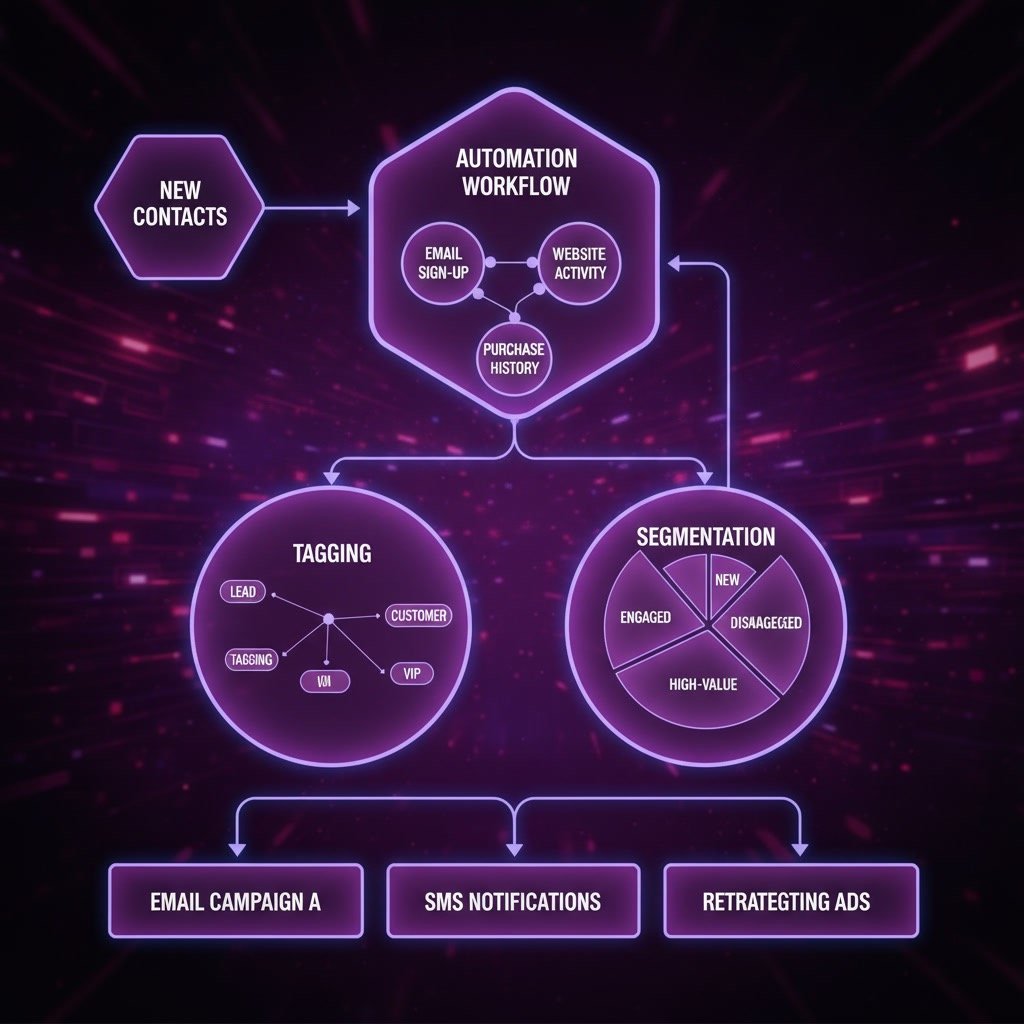
What Is Segmentation in ActiveCampaign?
Segmentation is the process of dividing contacts into groups based on shared characteristics.
Common segmentation factors include:
Location
Behavior
Purchase history
Email engagement
Interests
Subscription status
Segmentation improves communication relevance.
Key Segmentation Methods
| Segmentation Type | Based On | Example |
|---|---|---|
| Demographic | Personal data | Country or age |
| Behavioral | User actions | Clicked link |
| Engagement | Email activity | Opened email |
| Purchase | Transaction history | Bought product |
| Interest | Preferences | Selected topic |
How ActiveCampaign Segmentation Works
Segmentation uses rules to group contacts.
Example logic:
If user clicked link
Add to segment
This allows targeted messaging.
Step-by-Step: How to Create a Segment in ActiveCampaign
Step 1 — Open Contact List
Inside the dashboard:
Go to
Contacts
Select:
List
This displays all contacts.
Step 2 — Define Conditions
Choose rules that determine the segment.
Examples:
Email opened
Link clicked
Tag assigned
Purchase completed
Conditions define group membership.
Step 3 — Save the Segment
After defining rules:
Save segment
The system automatically updates the group.
Step 4 — Use the Segment
Segments can be used for:
Email campaigns
Automation workflows
Lead targeting
Customer communication
This improves marketing performance. With this ActiveCampaign Segmentation Guide, you can automate your email marketing easily.
Example Segmentation Workflow
| Step | Action | Result |
|---|---|---|
| 1 | User signs up | Contact created |
| 2 | User clicks link | Behavior tracked |
| 3 | Add tag | Segment assigned |
| 4 | Send email | Targeted message delivered |
| 5 | User responds | Engagement increases |
Most Useful Segments to Create
These segments are commonly used.
New subscribers
Active users
Inactive contacts
Customers
High-value customers
Interested leads
These groups support targeted campaigns.
Who Should Use ActiveCampaign Segmentation?
Segmentation is useful for:
Online businesses
Affiliate marketers
Course creators
Coaches
Agencies
Digital marketers
Segmentation improves campaign effectiveness. Many businesses use an ActiveCampaign Segmentation Guide to improve engagement.
Advantages of Segmentation
Major benefits include:
Better targeting
Higher engagement
Improved conversions
Reduced spam complaints
More relevant communication
Stronger customer relationships
These advantages improve marketing performance. This ActiveCampaign Segmentation Guide explains how to organize contacts based on behavior, interests, and engagement.
Common Segmentation Mistakes
Many beginners make these mistakes.
Too many segments
Unclear rules
Poor data quality
Ignoring engagement
Overcomplicated logic
Simple segmentation usually performs better.
Best Practices for Segmentation
Follow these recommendations.
Start with basic segments
Use clear rules
Update segments regularly
Monitor performance
Adjust strategy
These practices improve results. If you follow this ActiveCampaign Segmentation Guide, your campaigns become more effective.

Internal Links
You may also want to read:
ActiveCampaign Automation Examples
ActiveCampaign Email Marketing
ActiveCampaign Integrations
ActiveCampaign Pricing
ActiveCampaign for Beginners
Final Verdict: Is ActiveCampaign Segmentation Important?
Yes — segmentation is one of the most powerful features in email marketing.
It allows you to:
Target specific audiences
Send relevant messages
Improve engagement
Increase conversions
Build stronger relationships
The biggest advantage is delivering the right message to the right audience. This ActiveCampaign Automation Guide is ideal for beginners and advanced users who want to scale their email marketing.
 SolutionsHub Team