

ActiveCampaign Segmentation Guide: How to Target the Right Audience (2026) helps you send more relevant messages without making your marketing more complicated.
Affiliate disclosure: This article may contain affiliate links. If you purchase through these links, we may earn a commission at no additional cost to you.
Introduction
Segmentation is one of the most useful parts of email marketing, but it is also one of the most misunderstood. Many teams collect a lot of contact data and still send the same message to nearly everyone.
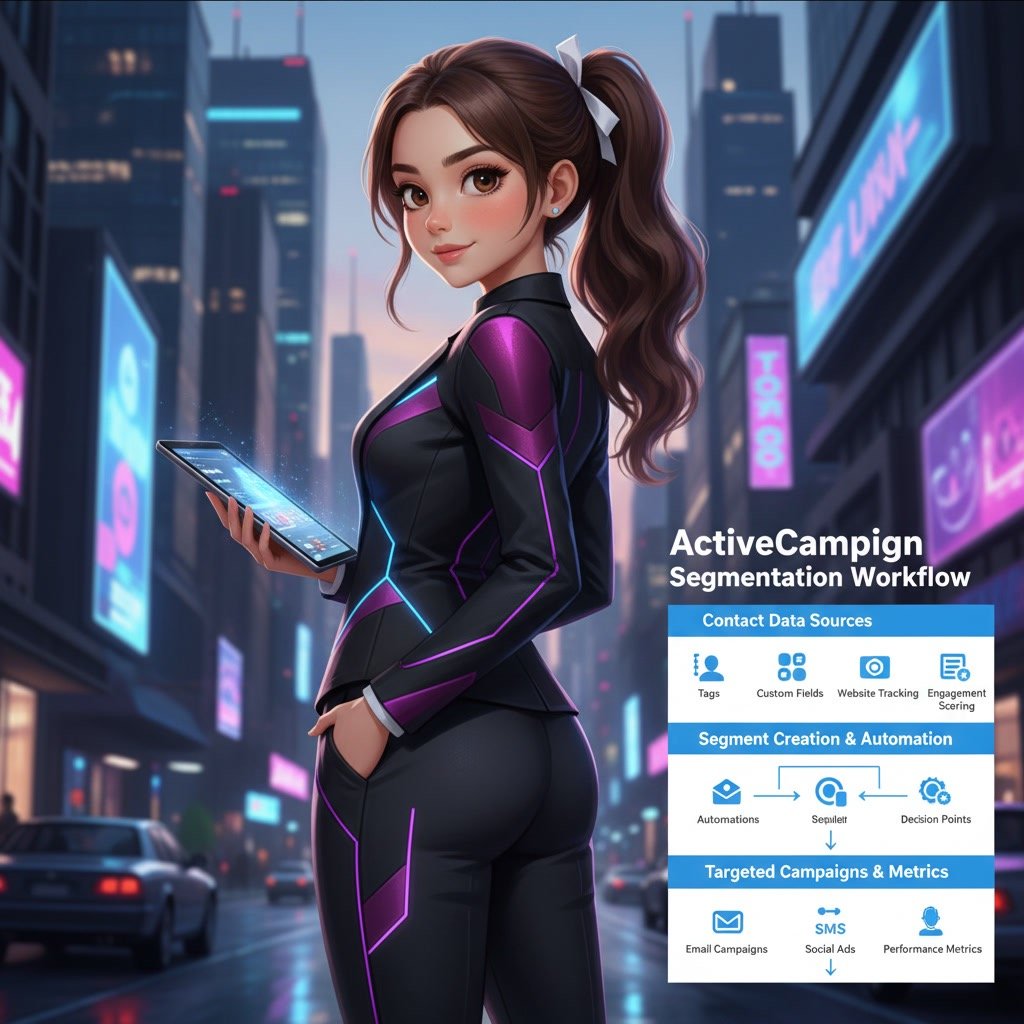
ActiveCampaign gives you more flexibility than a basic email platform. You can segment contacts by behavior, tags, custom fields, purchase activity, site tracking, engagement, and automation status. That means you can build campaigns that feel more timely and more relevant.
If you want better open rates, stronger click-through rates, and cleaner automations, segmentation is usually where the improvement starts. The goal is not to create dozens of tiny audiences. It is to make sure the right people get the right message at the right time.
Personal Insight
One pattern I see often is that businesses jump into automation before they define their segments. That usually creates cluttered lists, duplicate logic, and campaigns that feel harder to manage than they should. In ActiveCampaign, even simple segmentation rules can make a big difference when they are planned clearly from the start.

What Is ActiveCampaign Segmentation and Why It Matters
Segmentation in ActiveCampaign is the process of dividing your contact database into smaller groups based on shared traits or actions. Instead of treating your audience as one list, you create targeted segments that match where contacts are in their journey.
These segments can be temporary, dynamic, or tied to automation logic. For example, you might build a segment for new leads who visited a pricing page in the last seven days, customers who bought a specific product, or subscribers who have not opened an email in 90 days.
This matters because relevance drives performance. When contacts receive content that matches their interests or stage, they are more likely to engage. That can improve campaign results and reduce list fatigue at the same time.
Key Features
Dynamic segment builder
ActiveCampaign lets you build segments using conditions and logical rules. You can combine multiple filters, use AND or OR statements, and create flexible audiences without manually moving contacts between lists.
Tags and custom fields
Tags help track actions, interests, and funnel stages. Custom fields store more structured data such as location, industry, plan type, or lead source. Together, they give you a strong foundation for precise segmentation.
Behavior-based targeting
You can segment contacts based on what they do, not just what they say. Website visits, email opens, clicks, purchases, and form submissions can all become useful signals for targeting.
Automation-based conditions
One of ActiveCampaign’s most practical strengths is its connection between segmentation and automation. You can segment people by whether they entered an automation, completed a step, reached a goal, or skipped a path.
Engagement filtering
Not every subscriber should receive the same frequency or campaign type. Segmenting by engagement lets you identify active contacts, inactive subscribers, and people who may need a re-engagement sequence instead of another promotion.
Goal and event tracking
If your setup includes site tracking, event tracking, or ecommerce data, segmentation becomes much more powerful. You can group users based on actions that reflect real buying intent or product interest.

Use Cases
Welcoming new subscribers
A basic but effective use case is separating new subscribers from older contacts. New leads often need introductory content, brand education, or a short nurture sequence before they see regular campaigns.
Targeting by product or service interest
If your business offers multiple services or categories, segmentation helps you avoid broad messaging. Contacts interested in one product line should not always receive emails about unrelated offers.
Following up after website behavior
If someone visits a key page such as pricing, demo, features, or a category page, you can create a segment around that behavior. This allows you to send relevant follow-up emails based on recent intent.
Separating leads from customers
Many businesses accidentally market to customers and leads in the same way. In ActiveCampaign, you can use deal stage, purchase data, or tags to keep prospect messaging separate from customer communication.
Re-engaging inactive contacts
Inactive contacts can lower campaign performance over time. A re-engagement segment helps you isolate subscribers who have not opened or clicked recently, so you can win them back or clean your list carefully.
Local or regional campaigns
For businesses with geographic targeting, location-based segmentation is useful for event invites, service availability, seasonal messaging, or region-specific offers.
Scoring high-intent leads
If you use lead scoring in ActiveCampaign, segmentation can help sales and marketing teams focus on the contacts most likely to convert. This is especially useful for B2B funnels and longer buying cycles.
Best Practices
Start with a simple segmentation framework
Before creating dozens of filters, define a few core audience groups. A practical framework often includes lifecycle stage, engagement level, interest category, and customer status. This gives you structure without making the account messy.
Use naming conventions consistently
Tags, fields, and segments become difficult to manage when naming is inconsistent. Create a standard format for labels so your team can understand what each item means at a glance.
Prefer meaningful data over excessive data
Not every field or tracking event is worth using. Focus on data points that directly influence what a contact should receive next. Clean data is usually more valuable than large amounts of unstructured data.
Keep segments dynamic when possible
Static lists often go out of date. Dynamic segments update automatically as contacts meet or no longer meet the rules. That reduces manual work and keeps campaigns accurate over time.
Align segments with message intent
Build segments based on why you are sending the campaign. If the message is educational, target people who need that education. If it is promotional, target people with stronger buying signals. The segment should support the message, not the other way around.
Review segment overlap
One common issue is sending conflicting campaigns to the same people. Check whether multiple segments overlap in ways that could create confusion, duplicate emails, or poor timing.
Use exclusions wisely
Good segmentation is not only about who receives a message. It is also about who should be excluded. Recent buyers, current customers in onboarding, or inactive subscribers may need to be left out of certain sends.
Test before scaling
Before building an advanced segmentation strategy across your entire account, test a few audience rules on one campaign or one automation. This helps you confirm that the logic works and the messaging fits.
Common Mistakes
Creating too many tags too quickly
Tags are useful, but they become hard to manage if every small action gets its own tag without a clear purpose. Over time, this creates clutter and makes segmentation harder instead of easier.
Ignoring lifecycle stage
A new subscriber, active lead, and paying customer should rarely receive the same communication. When lifecycle stage is ignored, campaigns feel generic and often perform poorly.
Using segments without a content strategy
Better targeting only works when the message actually changes. If every segment receives nearly identical content, the extra setup does not deliver much value.
Relying on old or incomplete data
Segments are only as useful as the data behind them. If your forms, integrations, or tracking are inconsistent, your audience logic may be inaccurate. Regular audits are important.
Forgetting about engagement decay
Some contacts become less responsive over time. If you keep sending high-frequency campaigns to inactive users, engagement can decline further. Segmentation should account for changes in behavior.
Making automations harder than necessary
Advanced segmentation can be powerful, but overly complex logic can make your system difficult to troubleshoot. In many cases, a simpler segment with clearer intent performs just as well.
How to Build a Practical Segmentation Strategy in ActiveCampaign
Step 1: Define your business goals
Start with the outcomes you want. This could be more demo bookings, better onboarding, improved retention, or fewer unsubscribes. Your segmentation should support a real business goal, not just platform activity.
Step 2: Identify the most useful audience signals
Choose the contact attributes and behaviors that matter most. Good examples include signup source, service interest, purchase status, pages visited, and recent engagement.
Step 3: Group contacts into broad segments first
Begin with larger categories such as leads, customers, active readers, inactive subscribers, or users interested in a specific service. Once these are working, refine them as needed.
Step 4: Connect segments to campaigns and automations
Each segment should lead to a clear action. That may be a campaign, a nurture sequence, a reminder, a re-engagement flow, or a sales follow-up. Segments are most useful when they trigger something practical.
Step 5: Review performance regularly
Look at opens, clicks, conversions, replies, and unsubscribe rates by segment. If one segment responds much better than another, that insight can improve both messaging and future audience rules.
FAQ
What is segmentation in ActiveCampaign?
It is the process of grouping contacts based on shared data or behavior so you can send more relevant campaigns and automations.
What data can I use to create segments?
You can use tags, custom fields, email engagement, automation activity, site tracking, deal data, purchase information, and other connected platform data depending on your setup.
Should I use lists or segments in ActiveCampaign?
In many cases, segments are more flexible than creating multiple lists. Lists can still be useful, but too many lists often create unnecessary complexity.
How many segments should I have?
There is no perfect number. Start with a small number of useful segments tied to real campaigns and expand only when there is a clear reason.
Can segmentation improve deliverability?
Yes. Sending relevant emails to engaged contacts can improve interaction rates and help reduce list fatigue, which supports healthier deliverability over time.
What is the difference between tags and segments?
Tags are labels applied to contacts. Segments are filtered groups built from rules, which may include tags along with many other conditions.
Final Verdict
ActiveCampaign segmentation is most valuable when it stays clear, practical, and connected to your actual marketing goals. You do not need an overly advanced setup to see results. Even a few well-planned segments can improve relevance, automation flow, and campaign performance.
This approach is a strong fit for businesses that want to move beyond one-size-fits-all email marketing. If you already use ActiveCampaign or plan to build more targeted workflows in 2026, segmentation is one of the best areas to improve first.
Recommended Guides
- Activecampaign Pricing Explained
- Activecampaign Alternatives
- Is Activecampaign Worth It
- Activecampaign Campaign Builder Guide
- Activecampaign Integration Guide
- ActiveCampaign Email Delivery Tips: Improve Deliverability
- ActiveCampaign Automation Examples: Real Workflows Explained
- Activecampaign Login Not Working
- Activecampaign Contacts Not Syncing
- Activecampaign Campaign Not Sending
- Activecampaign Tracking Not Working
- Activecampaign Ultimate Guide