

This ActiveCampaign automation guide explains how to build useful automations that save time and improve customer communication.
Affiliate disclosure: This article may contain affiliate links. If you purchase through these links, we may earn a commission at no additional cost to you.
Introduction
ActiveCampaign is widely known for email marketing, but its automation tools are what make the platform stand out for many users. Instead of sending one-off campaigns manually, you can create systems that respond to subscriber behavior, timing, tags, purchases, and other actions.
That matters because modern email marketing is not just about sending more messages. It is about sending the right message at the right time. A strong automation setup can help you welcome new contacts, follow up with leads, recover abandoned carts, and nurture customers without managing every step by hand.
This guide focuses on how ActiveCampaign automation works, where it fits best, and how to use it in a practical way without making your setup overly complex.
Personal Insight
One of the biggest differences I see between average and effective email setups is not the design of the emails. It is the logic behind them. Businesses often get better results when they simplify their automations and focus on timing, relevance, and clear goals instead of building complicated sequences just because they can.

What Is ActiveCampaign Automation Guide Really About?
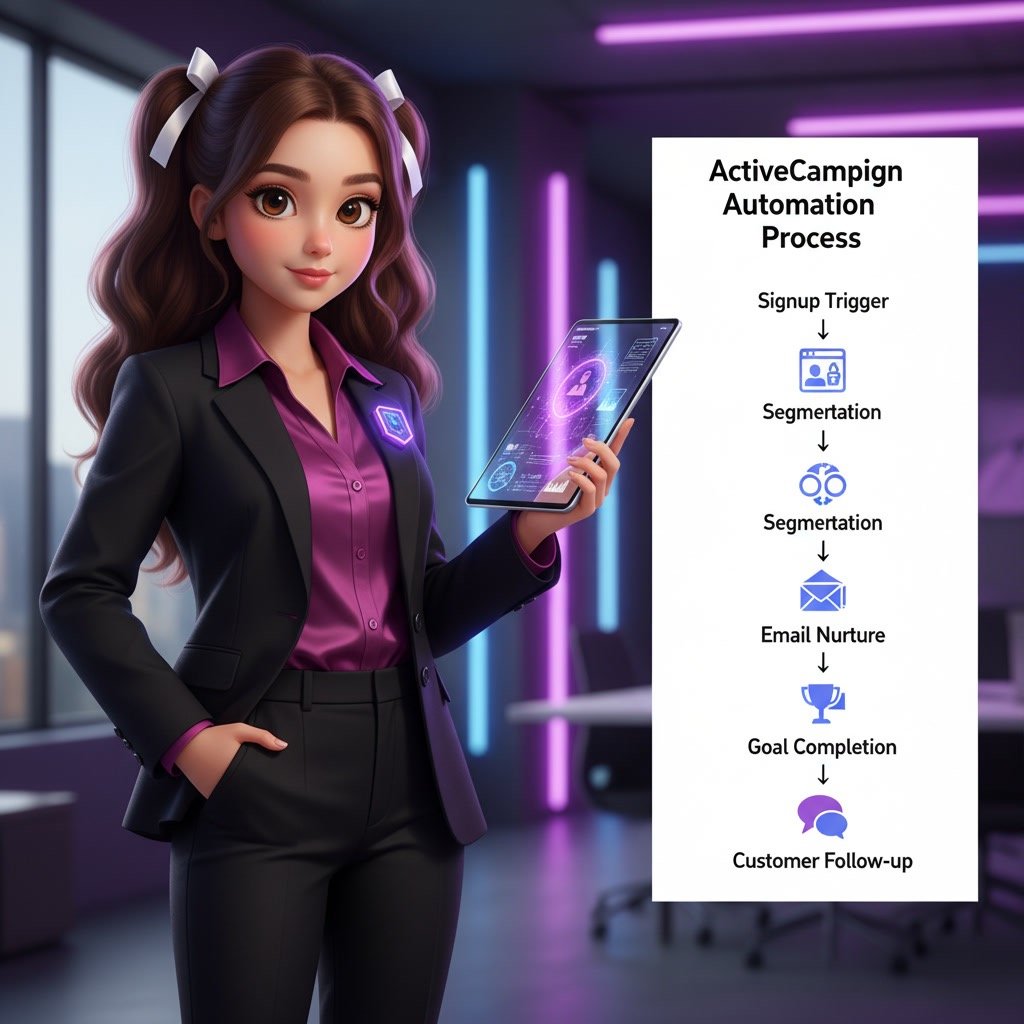
At its core, ActiveCampaign automation is a visual workflow system. You start with a trigger, such as someone joining a list, submitting a form, clicking a link, visiting a page, or receiving a tag. Then you define what happens next.
Those next steps can include sending emails, waiting for a period of time, updating a contact record, assigning tags, creating goals, notifying your team, moving a deal in the CRM, or sending contacts down different branches based on conditions.
This gives you a way to automate communication across the customer journey. Instead of treating every contact the same, you can tailor the experience based on what that person actually does.
How automation differs from regular campaigns
A regular email campaign is typically sent to a selected segment at one point in time. An automation is ongoing. It runs in the background and reacts to contact behavior automatically.
For example, a newsletter may go out every Friday as a campaign. A welcome series, by contrast, is better handled as an automation because each new subscriber should enter it when they sign up, not when you happen to be scheduling emails.
Why this matters for growing businesses
Automation helps small teams work like larger ones. It reduces repetitive manual tasks, creates consistency, and makes follow-up more reliable. That can improve lead nurturing, retention, and internal efficiency at the same time.
Key Features That Make ActiveCampaign Automation Useful
Flexible automation triggers
ActiveCampaign allows you to launch workflows from many starting points. Common triggers include form submissions, list subscriptions, tag changes, email interactions, site activity, purchases, anniversaries, and custom events.
This flexibility is important because different businesses collect leads in different ways. A content publisher may rely on forms and lead magnets, while an online store may use purchase-based triggers.
Visual workflow builder
The drag-and-drop automation builder makes it easier to understand the full customer path. You can see decision points, timing gaps, and email steps in one place. That visual view is especially useful when refining a sequence over time.
If and split logic
Conditional logic lets you personalize the path based on what a contact does or who they are. You can branch contacts by tag, product interest, location, lead score, purchase history, engagement level, or any other condition stored in the system.
This is where automation becomes more than scheduling. It becomes adaptive.
Goals and movement through workflows
Goals help contacts skip ahead when they meet certain conditions. If someone buys during a nurture sequence, for example, they do not need to keep receiving pre-purchase emails. A goal can move them directly into an onboarding or post-purchase path.
Tags, custom fields, and segmentation support
Good automation depends on organized data. ActiveCampaign lets you apply tags, update custom fields, and use those details to shape workflow behavior. This creates more relevant messaging without requiring a completely separate automation for every scenario.
CRM and sales automation options
For teams using ActiveCampaign’s CRM features, automations can create deals, assign tasks, update pipelines, and notify sales reps. That can help bridge the gap between marketing activity and sales follow-up.
Use Cases for ActiveCampaign Automation
Welcome sequences
A welcome automation is often the first and most important workflow to build. When someone subscribes, you can immediately deliver the promised resource, introduce your brand, set expectations, and guide them toward the next step.
This type of automation works well because it reaches contacts when attention is highest.
Lead nurturing for service businesses
If your sales cycle takes time, automation can educate leads before a call or consultation. You can send case studies, service explanations, answers to common objections, and gentle reminders to book an appointment.
Instead of pushing every lead toward a decision too early, you create a helpful sequence that builds trust.
Ecommerce follow-up
Online stores can use automation for abandoned cart reminders, post-purchase education, repeat purchase prompts, review requests, and win-back campaigns. Since these workflows react to actual shopping behavior, they often feel more relevant than broad promotional blasts.
Webinar and event sequences
Automations are also useful for registrations, reminders, follow-up emails, and segmentation based on attendance. Someone who attended live should not receive the same message as someone who registered but missed the event.
Customer onboarding
After a purchase or signup, onboarding automation can improve adoption and reduce confusion. This may include setup instructions, product tips, milestone emails, and support resources.
A solid onboarding sequence often improves retention because customers get value sooner.
Re-engagement campaigns
Inactive subscribers do not always need to be removed immediately. A simple re-engagement automation can ask if they still want to hear from you, offer a useful resource, or encourage them to update preferences before they become fully inactive.

Best Practices for Building Better Automations
Start with one clear goal per automation
Each workflow should have a primary purpose. That could be onboarding, nurturing, conversion, or retention. When one automation tries to do everything, it usually becomes harder to manage and less effective.
Map the customer journey before building
Before dragging items into the builder, write down the trigger, ideal path, key decisions, and end goal. This keeps the automation focused and reduces unnecessary steps.
Use tags carefully
Tags are powerful, but they can become messy fast. Use a naming system that is easy to understand and review old tags regularly. If your tagging structure is unclear, your automations become harder to troubleshoot.
Keep timing realistic
One common mistake is sending too many messages too quickly. A contact who joins your list does not need five emails in two days unless the context clearly supports it. Space messages in a way that feels helpful, not overwhelming.
Personalize based on behavior
The best automations respond to actions. If a person clicks a pricing link, downloads a guide, or visits a product page, that tells you something valuable. Use those signals to make follow-up more relevant.
Test every branch
Even strong-looking workflows can fail because of one missed condition or incorrect trigger. Run test contacts through every path to confirm emails send properly, goals fire correctly, and contacts exit when they should.
Review performance regularly
Automation is not a one-time setup. Check open rates, click rates, completion rates, goal conversions, and drop-off points. Small changes to subject lines, delays, or branching logic can improve results over time.
Common Mistakes to Avoid
Building overly complex workflows too early
It is tempting to use every feature at once, especially in a platform as capable as ActiveCampaign. But complexity often creates confusion. Start simple, prove the workflow works, and add more logic only when there is a clear reason.
Ignoring entry and exit conditions
Contacts should not enter the wrong automation repeatedly or remain in a sequence after they have already converted. Clear start and stop rules are essential for a clean experience.
Sending the same message to every segment
Automation without personalization is just scheduled messaging. If all contacts get the same path regardless of behavior, you miss much of the value ActiveCampaign offers.
Forgetting data hygiene
Old tags, duplicate fields, broken form connections, and outdated lists can weaken automation performance. Good workflow results depend on accurate data.
Not aligning sales and marketing steps
If marketing automations generate qualified leads but sales is not notified clearly or quickly, momentum is lost. Teams that combine automation with internal handoff steps usually create a smoother customer journey.
Failing to measure outcomes
Do not judge an automation only by whether it sends emails. Measure whether it leads to signups, replies, bookings, purchases, or activation milestones. Activity alone is not the goal.
FAQ
Is ActiveCampaign good for beginners?
Yes, but beginners should start with simple workflows. The platform is powerful, which means it can feel like a lot at first. A welcome series, lead magnet delivery sequence, or basic follow-up automation is a good place to begin.
What is the best first automation to build?
For most businesses, the best first automation is a welcome sequence. It is useful, easy to measure, and directly tied to new subscriber engagement.
How many emails should an automation include?
There is no fixed number. Some automations need one email, while others need five or more. The right length depends on the goal, audience awareness, and how much information a contact needs before taking action.
Can ActiveCampaign automation work for ecommerce and service businesses?
Yes. Ecommerce brands often use purchase and cart-based triggers, while service businesses use forms, consultation bookings, and lead nurturing sequences. The same automation framework supports both models.
Do I need the CRM to use automations well?
No. Many users get strong value from email and contact automations alone. The CRM becomes more useful when you also need sales pipeline tracking, task assignment, or deeper marketing-to-sales coordination.
How often should I update my automations?
Review important automations at least every few months or whenever your offer, customer journey, or messaging changes. High-impact workflows like welcome, onboarding, and sales nurture sequences deserve regular review.
Final Verdict
ActiveCampaign automation is best for businesses that want more than basic email scheduling. Its real value comes from building responsive workflows that adapt to subscriber behavior, save time, and make communication more relevant.
If you are just getting started, keep things simple and build around one clear goal at a time. If you already have an audience and a growing customer journey to manage, ActiveCampaign gives you the tools to create a much more organized and effective automation system.
Recommended Guides
- Activecampaign Pricing Explained
- Activecampaign Alternatives
- Is Activecampaign Worth It
- How To Use Activecampaign
- Activecampaign Tutorial For Beginners
- Activecampaign Setup Guide
- Best Email Marketing Tools in 2026
- Activecampaign Crm Guide
- ActiveCampaign Segmentation Guide: Target the Right Audience
- Activecampaign Campaign Builder Guide
- Activecampaign Integration Guide
- Activecampaign Ultimate Guide